GoldLeo Screen Recorder2.3
Publisher Description
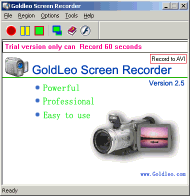
GoldLeo Screen Recorder is a video screen capture, screen recording tool used for recording screen activity into standard AVI video or Flash movies (SWF) files. You can record the full screen, window screen, fixed region or any part of the screen video. You can even record audio into the AVI, from the microphone, line-in, or speakers. You can Choose video and audio codec and quality. You can show, hide and use custom cursor and record voice from Options setting.
It comes with a number of features that can deliver the highest quality video files. It offers easy-to-use user interface and flexibility for your interactive experience.
Save anything you see or do on your screen -- moving the mouse to click a button, typing some text, or select some menu -- and playback later. You can add recorded videos to your products or services to save your time to explain, and provide better experience for your customers. The Flash movie file can be published to the Web in no time.
About GoldLeo Screen Recorder
This program is available in English. It was last updated on 29 September, 2026. GoldLeo Screen Recorder is compatible with the following operating systems: Windows.
The company that develops GoldLeo Screen Recorder is Gold Leo Software Inc.. The latest version released by its developer is 2.3. This version was rated by 1 users of our site and has an average rating of 4.0.
The download we have available for GoldLeo Screen Recorder has a file size of 1.0 MB. Just click the green Download button above to start the downloading process. The program is listed on our website since 2006-08-01 and was downloaded 295 times. We have already checked if the download link is safe, however for your own protection we recommend that you scan the downloaded software with your antivirus. Your antivirus may detect the GoldLeo Screen Recorder as malware if the download link is broken.
How to install GoldLeo Screen Recorder on your Windows device:
- Click on the Download button on our website. This will start the download from the website of the developer.
- Once the GoldLeo Screen Recorder is downloaded click on it to start the setup process (assuming you are on a desktop computer).
- When the installation is finished you should be able to see and run the program.
